What's New in Archibus V.2022.01?
Reservations
Archibus Reservations and Exchange Integration
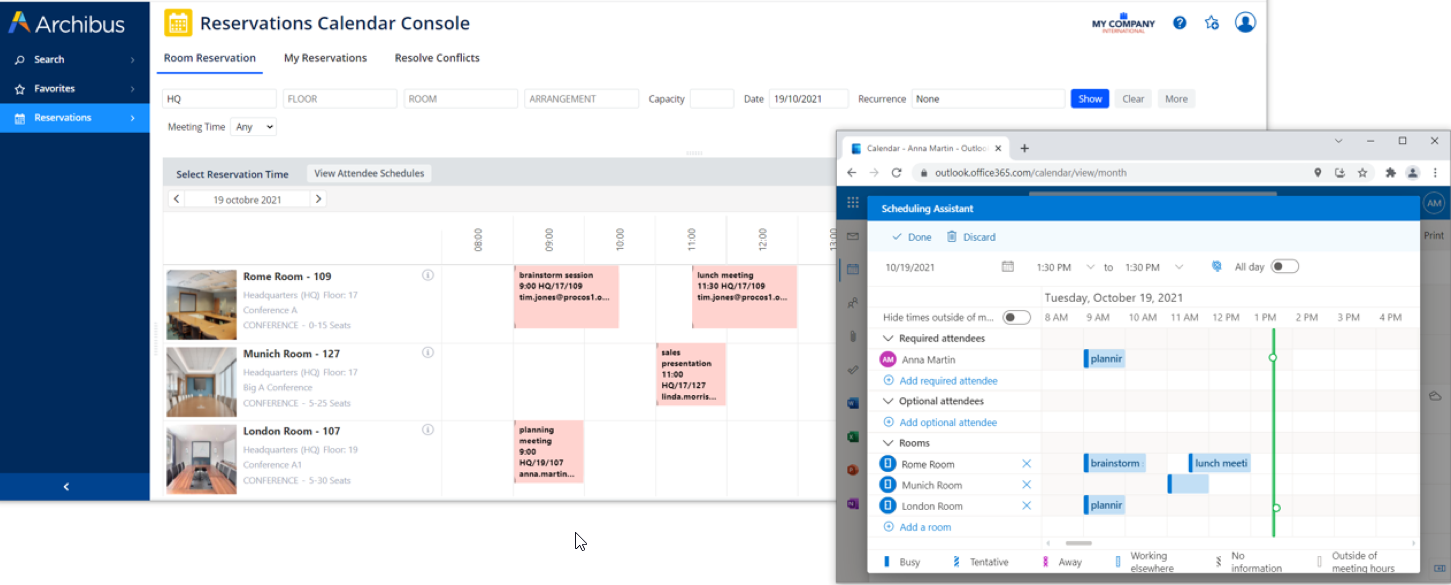
We continued the work begun in V.26.3 for improving Reservations and Exchange integration by adding these enhancements:
-
Real-time check. When you create a new single or recurring reservation from Archibus, the system now performs a real-time check of the Exchange Calendar. If an overlap is detected, the system informs you of the conflict.
-
Touch panels and tablets. You can now make reservations from touch panels or tablets mounted outside a meeting room. This is possible because Archibus now supports creating calendar items directly on the room calendar instead of only through an invitation. This feature uses the new
AbWorkplaceReservations.PanelBookingEmployeeIdapplication parameter to determine the values to complete for the Created By, Requested By, and Requested For fields of the meeting record.
Help Topics
Reservation Reporting (UserVoice Idea)
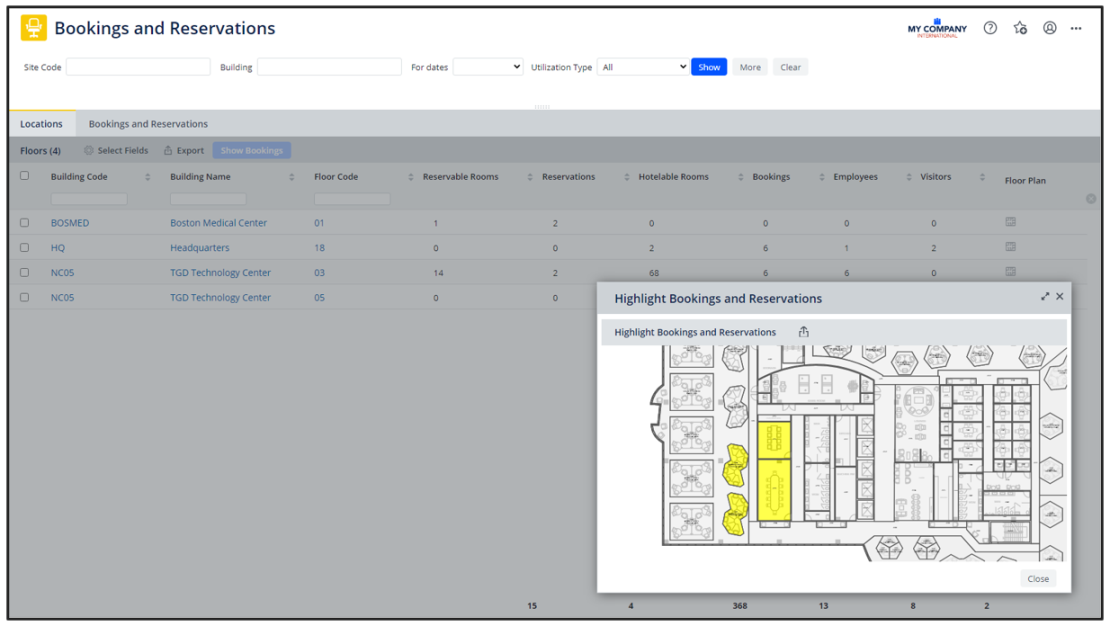
If your site implements both meeting room reservations and working space bookings, you will find it handy to review the Workplace Services / Hoteling / Operational Reports / Bookings and Reservations report. In one report, you can see all the space on a floor have that was reserved. You can also highlight the used space on a floor tplan. If you need to see just one type of room, change the Utilization Type filter from ALL to Reservations Only or Booking Only.
Details
-
Navigator Path: Workplace Services / Hoteling / Operational Reports / Bookings and Reservations
-
View file: ab-ht-rr-rpt-booking.axvw
-
Help Topic: Hoteling Operational Reports